Torrenting has become a popular method for downloading and sharing large files, including movies, games, and software. However, this practice is not without its risks. From potential legal issues to threats to your computer’s security, it’s important to take steps to protect yourself when engaging in torrenting. In this article, we will explore some of the best practices for safe torrenting, helping you to minimize risks while enjoying the benefits of this technology.
Understanding the Risks of Torrenting
Before diving into the best practices, it's crucial to understand the risks associated with torrenting. One of the primary concerns is the legal risk. Torrenting copyrighted material without permission is illegal in many countries and can result in hefty fines or even criminal charges. Additionally, torrent files can be a gateway for malware, exposing your system to viruses that can steal personal information or cause significant damage to your computer.
.png)
Use a Reliable Torrent Client
The choice of torrent client can significantly impact your safety. Opt for well-known and regularly updated clients such as qBittorrent, Deluge, or Transmission. These clients are less likely to contain malware and often offer better security features to protect your privacy.
Install Robust Antivirus Software
Protecting your computer from malware is crucial when torrenting. Ensure you have robust antivirus software installed and that it is always up to date. This software can help detect and remove malicious software that might be included in torrent downloads.
Utilize a VPN
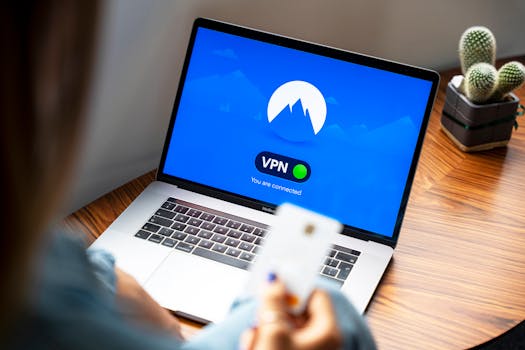
Using a Virtual Private Network (VPN) is perhaps the most effective way to protect your privacy while torrenting. A VPN encrypts your internet connection and routes it through a server in a location of your choice, masking your IP address and protecting your identity from other users and your Internet Service Provider (ISP). Make sure to choose a VPN provider that supports torrenting and does not keep logs of your activity.
Choose Torrents Wisely
Not all torrents are created equal. To avoid downloading malicious content, always choose torrents from reputable sources. Sites like The Pirate Bay or RARBG have systems in place to verify torrents, which can help reduce the risk of encountering malware. Additionally, reading user comments and checking the number of seeders and leechers can provide insights into the quality and safety of the torrent.
Check the Files Before Downloading
Be cautious about the types of files you download. Executable files (.exe, .bat) are particularly risky as they can contain viruses or malware. Stick to downloading files you can verify, such as videos, music, or software from publishers you trust.
Limit Your Uploads
While torrenting inherently involves uploading content, setting limits can help protect your privacy. By restricting the amount of data you upload, you can reduce your visibility to other users and decrease the likelihood of legal repercussions.
Keep Your Torrenting to Private Networks
If possible, use private torrenting networks. These networks require an invitation to join and are generally safer than public networks. They have stricter rules and monitoring, which helps prevent the spread of malicious files.
Regularly Update Your Software
Keeping your software updated is crucial in protecting your computer. This includes your operating system, applications, and the torrent client itself. Software updates often include security patches that protect against new threats.
Educate Yourself About Torrenting Laws
Finally, it’s important to educate yourself about the legal aspects of torrenting. Understanding the laws in your country can help you make informed decisions about what and how you download.
Conclusion
While torrenting can be a great tool for accessing a wide range of content, it comes with its own set of risks. By following these best practices, you can enjoy the benefits of torrenting while minimizing potential threats to your privacy and computer security. Always stay informed and cautious to ensure a safe torrenting experience.