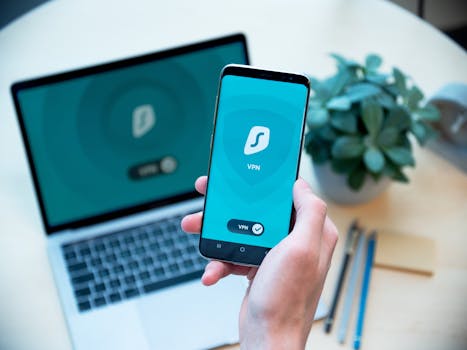
Torrenting has become a popular method for downloading and sharing large files, and with the rise of powerful smartphones, more people than ever are torrenting on their mobile devices. While the convenience is undeniable, torrenting on mobile introduces a new set of challenges and risks that many users overlook. From draining your data plan to exposing your personal information, even experienced torrenters can fall into common traps. Understanding these mistakes—and knowing how to avoid them—can make your mobile torrenting experience faster, safer, and far less frustrating.
The Most Overlooked Torrenting Mistakes on Mobile Devices
Many users assume that torrenting on a mobile device is just as straightforward as on a PC. In reality, mobile environments come with unique limitations and dangers. Here are some of the most frequent issues:
1. $1 Many Android and iOS torrent apps request extensive permissions, including access to your contacts, storage, and sometimes even your location. Granting unnecessary permissions can put your privacy at risk, especially if the app is from an untrusted developer. 2. $1 Torrenting is resource-intensive. Mobile torrents can quickly drain your battery and gobble up data, especially if you’re downloading large files or forgetting to set limits. 3. $1 Mobile devices have far less storage than a typical laptop or desktop. Users often start downloads only to find their phone running out of space, leading to failed downloads or device sluggishness. 4. $1 Some mobile torrent apps are loaded with ads, trackers, or even malware. Downloading files from random sources without caution can expose your device to serious threats. 5. $1 Mobile networks are less stable than broadband connections. Without proper settings, your downloads may stall or uploads may hog your bandwidth, causing connectivity issues for other apps.Many of these mistakes stem from treating mobile torrenting like desktop torrenting. Mobile requires a more cautious, deliberate approach.
.png)
Data Consumption: The Hidden Cost of Mobile Torrenting
One of the most surprising mistakes mobile users make is underestimating how much data torrenting consumes. Unlike streaming, which can be throttled to low quality, torrent downloads often use as much bandwidth as available. This can lead to unpleasant surprises on your monthly bill.
According to OpenSignal’s 2023 Mobile Data Report, the average global mobile data plan is just 5-10 GB per month, while a single high-definition movie torrent can easily exceed 4 GB. Some popular torrents, such as complete TV series or uncompressed music albums, can reach 10 GB or more.
Many users forget to restrict torrenting to Wi-Fi, accidentally using mobile data instead. This can result in:
- Exceeding your data cap and incurring overage charges - Throttling by your mobile carrier - Slowdowns for other device functionsHere is a quick comparison of data usage between different torrent file types:
| File Type | Average Size | Data Consumed (1 Download) | Downloads to Exceed 10GB Plan |
|---|---|---|---|
| Music Album (MP3) | 100 MB | 100 MB | 100 |
| HD Movie | 4 GB | 4 GB | 2.5 |
| Game ISO | 8 GB | 8 GB | 1.25 |
| TV Series (Full Season) | 10 GB | 10 GB | 1 |
To avoid running into trouble, always set your torrent app to download over Wi-Fi only, and monitor your remaining storage and data allowance before starting any large downloads.
Security Pitfalls: Protecting Yourself While Torrenting
Mobile devices are more vulnerable to certain types of attacks than desktops. Many users rely on the default security settings of their phones, not realizing that torrenting exposes them to fresh risks:
- $1 The Google Play Store and Apple App Store both contain malicious or poorly maintained torrent clients. In 2022, cybersecurity firm Check Point reported that over 15% of popular file-sharing apps on Android contained risky adware or excessive permissions. - $1 Mobile networks, especially public Wi-Fi, are susceptible to interception. Torrent data is not inherently encrypted, meaning your downloads can be monitored or modified. - $1 Mobile antivirus apps are often less effective than their desktop counterparts. Downloading a compromised torrent can introduce malware, spyware, or ransomware directly onto your device. $1 1. Download only verified torrent clients from official app stores. 2. Check app permissions and disable any that seem unnecessary. 3. Use a reputable VPN app designed for mobile to encrypt your traffic. 4. Scan downloaded files with a mobile antivirus before opening them.Poor App Management: The Dangers of Ignoring Updates and Settings
Another common mistake is neglecting app updates or failing to fine-tune app settings. Outdated apps may have vulnerabilities, while poorly configured settings can ruin your torrenting experience.
- $1 Security researchers at Symantec found in 2023 that 20% of mobile torrent users run outdated apps, leaving themselves open to known exploits. - $1 Failing to adjust download/upload limits may cause your phone to slow down or overheat. Many apps also cache large amounts of data, quickly consuming precious storage. Tips to avoid these pitfalls: - Turn on auto-updates for your torrent app and operating system. - Regularly check for app updates, especially after major security patches are announced. - Dive into app settings to set download/upload speed limits, auto-shutdown after completion, and storage locations. - Clear the app cache and old torrents periodically to free up space.Not Respecting Copyright Laws: Legal Risks of Mobile Torrenting
Many users wrongly believe that mobile torrenting is less likely to be monitored than desktop torrenting. In reality, mobile IP addresses can be just as visible and traceable. Copyright enforcement agencies use automated bots to monitor torrent swarms, capturing IP addresses of users downloading protected content.
According to the Copyright Alliance, over 1.2 million US-based torrent users received copyright infringement notices in 2023—an increase of 18% from the previous year. Many ISPs now send warning letters, throttle connections, or even suspend accounts for repeat offenders.
$1 - Only download torrents from verified legal sources, such as public domain or creative commons content. - Use a VPN to mask your IP address, but remember that VPNs do not make illegal activity legal. - Familiarize yourself with your country’s copyright laws before torrenting.Device Performance Issues: Overloading Your Phone
Mobile phones, even high-end models, are not designed for sustained high-bandwidth activity like torrenting. Common performance-related mistakes include:
- Running multiple large torrents simultaneously, which can cause overheating - Allowing torrents to run in the background, draining battery and memory - Failing to pause or stop torrents while using resource-intensive apps (like gaming or video calls)According to a 2023 survey by Android Authority, over 30% of users who torrent on their phones report device slowdowns or battery drain.
$1 - Limit the number of simultaneous downloads and uploads. - Use built-in battery optimization features to restrict torrent app activity when the phone is low on charge. - Schedule large downloads overnight while the device is charging and connected to Wi-Fi.Practical Steps to Safer, Smarter Mobile Torrenting
Avoiding these common mistakes isn’t just about avoiding headaches—it’s about protecting your privacy, your device, and your wallet. Here’s a quick checklist to torrent responsibly on your mobile device:
- Always use a reputable, up-to-date torrent client - Restrict downloads to Wi-Fi and monitor data use - Set sensible download/upload limits and storage locations - Scan all files before opening - Use a VPN for privacy, but understand its limitations - Delete old torrents and clear cache regularlyBy following these guidelines, you can enjoy the convenience of mobile torrenting without falling into the traps that catch so many users off guard.







